Table of Contents
ToggleWe’ve all been there. It’s 4:45 PM on a Tuesday. Your social media calendar says you need to post a "Teaser" for next week’s webinar, but the design team is currently buried under a massive rebrand. You have two choices: post a grainy, uninspired stock photo with some clunky default text, or spend three hours struggling with a professional design suite you haven't touched since college.
In the tech and marketing niche, "speed" is often the only currency that matters. But speed without quality is just noise. This is where the landscape of visual creation has shifted dramatically over the last couple of years. We aren't just looking for "easy" tools anymore; we’re looking for intelligent tools.
Enter Adobe Express. It’s not just a "light" version of Photoshop; it’s a dedicated workspace designed for the person who needs to move fast but refuses to look amateur.
The "Good Enough" Trap
For a long time, marketers fell into the "good enough" trap. We used templating apps that made our brands look exactly like every other startup on LinkedIn. You know the look—the same five fonts, the same geometric shapes, the same sterile aesthetic.
The problem is that in a world of infinite scrolling, "good enough" is invisible. To grab attention, you need visuals that feel bespoke, even if they only took you ten minutes to make. The trick is leveraging AI-driven features that do the heavy lifting for you, allowing you to focus on the storytelling rather than the technical execution.
The Magic of One-Click Workflows
One of the biggest hurdles in quick content creation has always been asset preparation. Think about the last time you tried to create a "Meet the Team" graphic or a product feature highlight. You likely had a great photo of a person or a gadget, but the background was messy, distracting, or just didn't fit your brand's color palette.
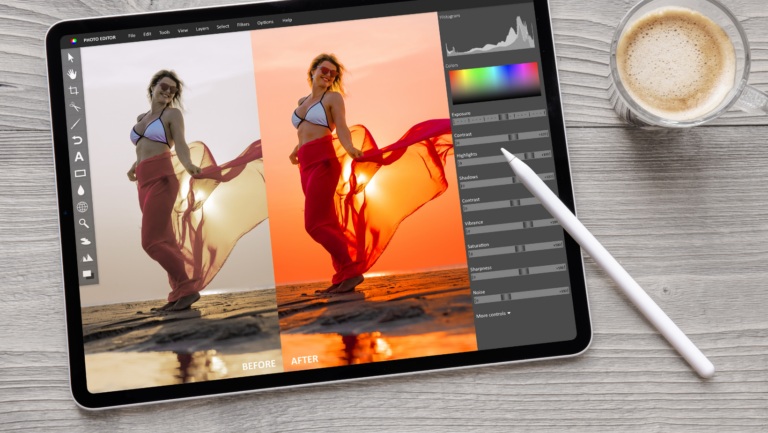
In the past, you’d have to zoom in, use a lasso tool, and meticulously mask out the subject. It was a chore. Now, features like the photo background remover with Adobe Express have turned a fifteen-minute technical task into a two-second background process.
Imagine you're at a tech conference. You snap a quick, high-quality photo of your CEO speaking. The lighting is great, but there’s a stray trash can and a blurry "Exit" sign in the background. By using a quick background remover, you can isolate the CEO, drop them onto a clean, branded gradient, and add a punchy quote. Suddenly, a candid phone snap looks like a high-production press asset. This isn't just about "fixing" photos; it's about making your existing assets infinitely more versatile.
Building a "Vibe" Without a Design Degree
If you aren't a trained designer, the most intimidating part of a blank canvas is… well, the blankness. Adobe Express solves this by providing "starting points" that don't feel like rigid cages.
1. The Power of Text Effects
Generative AI has changed the game here. Instead of searching for the "perfect" font style, you can now describe what you want. Want your headline to look like it’s made of neon cyber-wires for a "Future of Tech" post? You can prompt that. It allows for a level of stylistic consistency that previously required a specialized illustrator.
2. Video is No Longer Optional
If you're in the tech niche, you know that the algorithm loves video. But editing video used to be the ultimate bottleneck. Express has brought "drag-and-drop" simplicity to video. You can take your static images, add a few subtle animations, overlay some trending audio, and suddenly you have a high-performing Reel or TikTok.
3. Staying "On Brand"
One of the most useful features for marketers is the Brand Kit. You can upload your logos, specific hex codes, and brand fonts. Once these are set, you can apply them to any template with a single click. This prevents that "Frankenstein" look where your Instagram grid looks like it was designed by five different people who never talked to each other.
Real-World Scenario: The Product Launch
Let’s walk through how a marketer might use these tools for a rapid-fire product launch.
Phase 1: The Teaser (Day 1)
You use the Text-to-Image tool to generate an abstract, high-tech background that matches your brand’s "mystery" vibe. You overlay a countdown timer using a simple animation preset. Total time: 8 minutes.
Phase 2: The Hero Image (Day 3)
The physical product arrived, but the professional photoshoot isn't until next month. You take a photo with your iPhone in natural light. You use the background remover to get rid of your kitchen table, drop the product into a 3D-rendered stage within the app, and add some "Lighting" effects to make it pop. Total time: 12 minutes.
Phase 3: The Social Proof (Day 5)
Customers are tweeting about the launch. You grab a screenshot of a glowing review, use the "Remove Background" feature on the customer's profile picture to make it look like a clean testimonial bubble, and wrap it in your brand colors. Total time: 5 minutes.
In less than 30 minutes of total work, you’ve created a multi-day campaign that looks cohesive, professional, and—most importantly—intentional.
Tips for Staying Productive
While the tools are powerful, the "Marketer’s Trap" is spending too much time tweaking. Here are my rules for staying fast:
Why This Matters for Tech Marketers
In tech, things change fast. A new AI model drops, a competitor pivots, or a viral meme takes over the industry. If it takes your team three days to produce a response graphic, you’ve already missed the conversation.
The goal isn't to replace your creative director or your lead designer. Those roles are vital for high-level strategy and complex brand systems. The goal is to empower the marketer to be a self-sufficient content creator for the day-to-day wins.
When you remove the friction between "having an idea" and "seeing the visual," your marketing becomes more agile. You start experimenting more. You take more risks. You post more frequently because the "cost" of creation (in both time and stress) has plummeted.
Wrapping Up
Visual storytelling is the heartbeat of modern marketing. We are visual creatures; we process images 60,000 times faster than text. By mastering tools that prioritize speed and AI-assisted precision, you aren't just making "pretty pictures"—you're communicating your value proposition more effectively to a distracted world.
Whether you're cleaning up a messy photo with a background remover or generating a complex text effect from a simple prompt, the destination is the same: professional, high-impact content that doesn't eat up your entire afternoon.
So, next time you're staring at a 4:45 PM deadline, don't panic. Open up a workspace, lean on the AI, and see how fast you can turn a "good enough" idea into a "wow" visual. You might be surprised at what you can create before the clock strikes five.